
Wokwi: Free Online Circuit Simulator for Arduino and ESP32
Discover Wokwi, the free online electronics simulator for Arduino, ESP32, and Raspberry Pi Pico. Design IoT circuits from your browser.
You want to test a project with ESP32, but the module takes 3 weeks to arrive. Meanwhile, you open Tinkercad and discover that it does not even support ESP32. You are stuck with a simulated Arduino Uno that is nowhere near what you need.
Sound familiar? There is a tool that solves exactly that problem — and it runs straight from your browser.
Wokwi: The Online Electronics Simulator That Supports ESP32, Arduino, and Raspberry Pi Pico
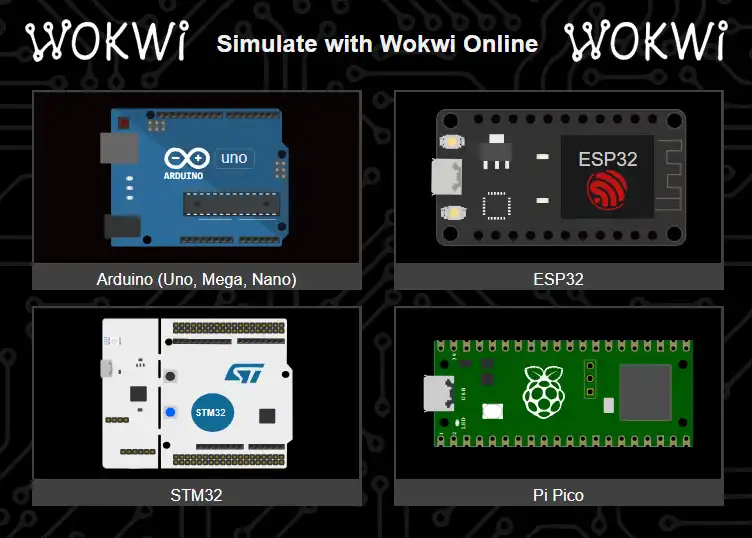
Wokwi is an online electronic circuit simulator that lets you design, program, and test projects with popular microcontrollers like Arduino, ESP32, STM32, and Raspberry Pi Pico (RP2040) without installing anything.
Unlike classic simulators that stopped at the Arduino Uno, Wokwi is designed for modern hardware and the Internet of Things (IoT). Everything runs in the browser, it is free, and no registration is required to get started.
Why does this matter? In 2026, the ESP32 dominates IoT projects thanks to its built-in Wi-Fi and Bluetooth. A simulator that does not support it is simply not up to the task.
Wokwi vs Tinkercad vs Proteus: Circuit Simulator Comparison 2026
Tinkercad is excellent for beginners who want to see a breadboard in 3D. Proteus is the standard in academic environments. But when you need to simulate modern hardware with IoT, the difference is clear:
| Feature | Wokwi | Tinkercad | Proteus |
|---|---|---|---|
| Arduino Nano | Yes | No | Yes |
| ESP32 / RP2040 | Yes (native) | No | Limited |
| Wi-Fi simulation | Yes | No | No |
| Compilation speed | Fractions of a second | Slow | Medium |
| VS Code integration | Official extension | No | No |
| Logic analyzer | Yes (I2C, SPI, UART) | No | Yes |
| Open source | Yes | No | No |
| Price | Free | Free (limited) | $250+ USD |
A detail many overlook: Tinkercad only supports the Arduino Uno. If your project requires an Arduino Nano — the preferred board for compact projects, wearables, and robots due to its small size — you cannot simulate it in Tinkercad. In Wokwi, the Arduino Nano is available natively alongside the Mega, the Micro, and the entire Arduino family.
Quick verdict: If you are learning with Arduino Uno and want something visual, Tinkercad works. For everything else — Arduino Nano, ESP32, IoT, and professional projects — Wokwi has no rival.
Advanced Features for Makers and IoT Developers
Wokwi is not just a virtual breadboard. It includes diagnostic tools you would normally only find in a fully equipped physical lab.
Real Wi-Fi Simulation for ESP32 IoT Projects
This is the standout feature. You can write code that sends data to the cloud, connects to MQTT servers, or makes HTTP requests — all simulated, without needing a physical ESP32.
This means you can prototype a complete IoT system (sensor → microcontroller → cloud) before buying a single component.
Virtual Logic Analyzer: Debug I2C, SPI, and UART Signals
The built-in logic analyzer captures and visualizes digital signals in real time. It supports the most commonly used protocols:
- I2C — for sensors and OLED displays
- SPI — for TFT displays and SD modules
- UART — for serial communication
If you have ever spent hours trying to figure out why your I2C sensor is not responding, this tool saves you days of frustration.
GDB Debugging and Built-In Serial Plotter
For advanced users, Wokwi offers a GDB debugger compatible with Arduino and Raspberry Pi Pico. You can set breakpoints, inspect variables, and step through your code line by line.
The Serial Plotter lets you visualize sensor graphs in real time — ideal for calibrating accelerometers, thermistors, or any analog input.
SD Card Simulation and Virtual Storage
Does your project need to save logs or read configuration files? Wokwi simulates SD cards so you can store and retrieve files directly from your code, without additional hardware.
Component Library: Sensors, Displays, and Modern Modules
While other simulators are limited to LEDs and resistors, Wokwi includes components used in real industry projects:
- OLED displays (I2C) and color TFT displays for graphical interfaces
- NeoPixel LED matrices (WS2812B) for lighting effects
- Modern sensors: DHT22 (temperature/humidity), BME280 (barometric pressure), and MPU6050 (accelerometer/gyroscope)
- RFID modules (RC522) for access systems
- Matrix keypads and keypads
- Servos, relays, and stepper motors
Custom components: If you need a component that does not exist in the library, you can program your own simulation in C/C++ using the Wokwi Chips API. This is possible because Wokwi is open source and extensible.
VS Code Integration: Simulate While You Code
One of the most powerful advantages is the official Visual Studio Code extension. Instead of switching between the browser and your editor, you can:
- Write your code in VS Code with autocomplete and IntelliSense
- Run the simulation in real time within the same editor
- Debug with breakpoints directly in your source code
- Use PlatformIO or Arduino CLI as your build framework
This integration turns Wokwi into a professional development tool, not just an educational simulator. If you already use VS Code for programming — and if you are a developer, you probably do — the transition is seamless.
Open Source Community: Discord, GitHub, and Chips API
Unlike commercial tools that are “black boxes,” Wokwi is committed to open source and community:
- Active Discord with thousands of makers sharing projects and solving questions
- GitHub with example repositories for every supported microcontroller
- Chips API for creating custom components in C/C++
- Shareable projects — each simulation has a unique URL you can send to classmates or teachers
For teachers, this is especially valuable: you can create a circuit, share the link with your students, and let each one modify it without installing software. If you are interested in how technology transforms education, you may also find our guide on AI tools for beginners useful.
How to Get Started for Free from Your Browser
- Open wokwi.com from any modern browser
- Select a microcontroller (Arduino Uno, ESP32, Raspberry Pi Pico, etc.)
- Drag components onto the virtual breadboard and connect them
- Write or paste your code in the built-in editor
- Click “Start Simulation” and observe the results in real time
No registration, no installation, no cost. You can start simulating circuits in less than 30 seconds. If you later want to save your projects, you just need to create a free account.
Is It Worth It as a Circuit Simulator in 2026?
If you are looking for a simulator that supports the hardware actually used today — ESP32, RP2040, modern sensors, IoT with Wi-Fi — Wokwi is the tool you need. It is free, runs in the browser, integrates with VS Code, and has an active community that constantly improves it.
You do not need to burn real components or wait weeks for your parts to arrive. With Wokwi, your browser is your electronics lab.
Have you tried it yet? Open wokwi.com and create your first circuit right now.