
SriTu Hobby: Free Arduino, ESP32, and Robotics Tutorials
Discover SriTu Hobby, the free platform with step-by-step Arduino, ESP32, Raspberry Pi, IoT, and robotics tutorials for makers.
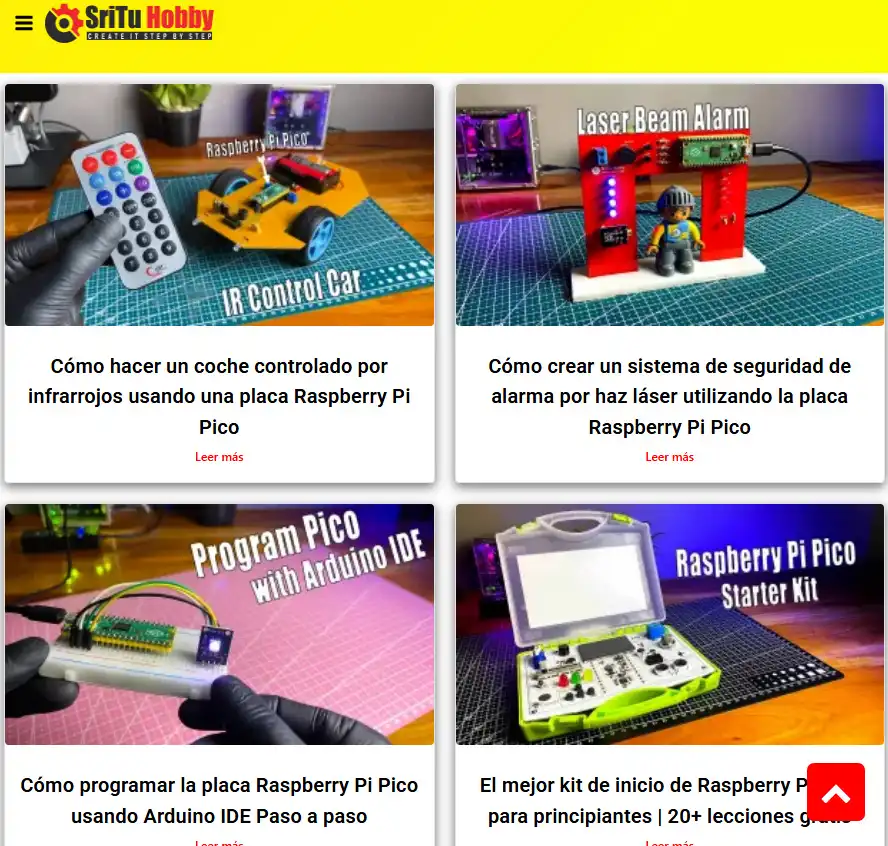
You have an ESP32 in your hand, an idea in your head, and zero experience connecting wires. You open YouTube, search “ESP32 project,” and 500 videos pop up — half in incomprehensible technical jargon, the other half without circuit diagrams or downloadable code. You end up staring at the component sitting next to your desk for weeks.
What you need isn’t another generic video. You need someone who shows you exactly how to connect each wire, what code to upload, and what result to expect — step by step, without skipping anything.
That someone has a name: SriTu Hobby.
SriTu Hobby: The Step-by-Step Electronics Project Platform
SriTu Hobby is an educational platform from Sri Lanka that offers step-by-step tutorials for creating electronics projects with popular microcontrollers like Arduino, ESP32, ESP8266 (NodeMCU), Raspberry Pi, and more. Its motto says it all: “Create it step by step.”
What sets SriTu Hobby apart from other electronics resources is its practical and visual approach: each tutorial includes the complete circuit diagram, downloadable source code, and an explanatory video showing the assembly from start to the final working result.
The platform operates through three complementary channels:
- Website (srituhobby.com) — Written tutorials with diagrams, code, and detailed explanations
- YouTube channel (@sritu_hobby) — Step-by-step videos of each project with real-time demonstrations
- Mobile app — Available on Google Play with tutorials, project showcases, and even a built-in Bluetooth remote control
Why does it matter? In an ecosystem where most maker resources are in English and assume prior knowledge, SriTu Hobby stands out by explaining complex concepts with simple and accessible language, ideal for beginners taking their first steps in electronics.
Project Categories: From Arduino to Robotics
SriTu Hobby isn’t limited to a single hardware platform. Its tutorial catalog covers the full spectrum of modern maker electronics:
| Category | Platforms / Technologies | Level |
|---|---|---|
| Arduino | Uno, Nano, Mega, sensors, actuators | Beginner → Intermediate |
| ESP32 | ESP-WROOM-32, Bluetooth, Wi-Fi | Intermediate → Advanced |
| ESP8266 / NodeMCU | IoT, web servers, Blynk | Intermediate |
| Raspberry Pi | GPIO, servers, automation | Intermediate → Advanced |
| RC Projects | Cars, drones, remote control | Intermediate |
| IoT | MQTT, Blynk, ThingSpeak, cloud | Intermediate → Advanced |
| Robotics | Line-following robots, robotic arms, obstacle avoidance | All levels |
Arduino Projects: The Perfect Entry Point for Makers
The Arduino section is the most extensive on the platform and is designed for people who have never connected an LED to a breadboard. Projects range from the most basic to surprisingly sophisticated creations:
- Obstacle-avoiding robots with HC-SR04 ultrasonic sensor
- Bluetooth-controlled cars from your phone
- Digital meters for temperature, humidity, and distance
- Control systems with relays, servomotors, and stepper motors
- Display projects with LCD and OLED screens for data visualization
- Security devices with IR and RFID sensors
Each project includes the list of required components, the wiring diagram, and the complete Arduino code ready to copy and upload. If you’re looking for a simulator to test these projects before physically assembling them, complement with Wokwi which supports Arduino and ESP32 natively.
IoT Projects with ESP32 and NodeMCU: Connect Your Creations to the Cloud
This is the category where SriTu Hobby truly shines. The IoT tutorials don’t stop at the “hello world” of a blinking LED — they guide the maker to build complete connected systems:
- Smart irrigation systems with NodeMCU and Blynk
- Voice-controlled lights with ESP32 and Bluetooth
- Weather stations connected to ThingSpeak
- Remote sensor monitoring through web servers
- Home automation with smartphone control
Practical tip: SriTu Hobby’s IoT tutorials use platforms like Blynk and ThingSpeak that offer free plans, so you can build functional IoT projects without spending on cloud services.
Anatomy of a Tutorial: What Each Project Includes
What sets SriTu Hobby apart from a generic electronics blog is the completeness of each tutorial. It’s not just a paragraph with a link to GitHub — it’s a comprehensive guide:
Detailed Circuit Diagram
Each tutorial includes a visual wiring diagram that shows exactly which pin goes to which component. You don’t need to interpret complex electronic schematics — the diagrams are clear Fritzing-style illustrations where you see the breadboard, wires, and components exactly as you’d connect them in real life.
Complete and Downloadable Source Code
Each project’s code is available directly in the article and ready to copy to the Arduino IDE. It includes:
- Explanatory comments in each section of the code
- Required libraries with installation instructions
- Pin configuration clearly documented
- Separate functions for easier understanding
Step-by-Step Video Tutorial
Each project has an associated YouTube video that shows the complete assembly and programming process. The videos follow the same structure: required components → connections → code → demonstration of the final result.
Comparison with Other Electronics Resources in 2026
How does SriTu Hobby compare to other electronics tutorial sources?
| Feature | SriTu Hobby | Random Nerd Tutorials | Instructables | Hackster.io |
|---|---|---|---|---|
| Step-by-step tutorials | Yes (web + video) | Yes (web only) | Yes (community) | Yes (community) |
| Circuit diagrams | Yes (all) | Yes (all) | Varies | Varies |
| Downloadable code | Yes | Yes | Varies | Varies |
| YouTube videos | Yes (every project) | Some | No | Some |
| Arduino + ESP32 | Yes | Yes (specialized) | Yes | Yes |
| Robotics and RC | Yes (strong) | Limited | Yes | Yes |
| Component store | Yes | No | No | No |
| Mobile app | Yes (Android) | No | Yes | No |
| Beginner level | Ideal | Intermediate | Varies | Varies |
| Price | Free | Free (+ paid eBooks) | Free | Free |
Key advantage of SriTu Hobby: The combination of written tutorial + video + diagram + code in each project creates a multimodal learning system — you read, watch, and do. Most platforms offer only one or two of these formats.
Low-Cost Electronics Component Store
In addition to tutorials, SriTu Hobby operates an online electronics component store where you can buy the same sensors, modules, and microcontrollers used in the projects:
- Development boards: ESP32, Arduino Nano, NodeMCU
- Sensors: Ultrasonic, temperature, humidity, IR, RFID
- Actuators: Servomotors, DC motors, relays
- Modules: Bluetooth, Wi-Fi, LCD/OLED screens
- Basic components: LEDs, resistors, breadboards, wires
Advantage for beginners: When you buy a component from SriTu Hobby’s store, you receive a free guide explaining how to use it in a project. This eliminates the frustration of buying a sensor and not knowing where to start.
Who Is This Platform For? Students, Makers, and Educators
If You’re a Beginner in Electronics
SriTu Hobby is arguably the best starting point if you’ve never programmed a microcontroller. The tutorials assume zero prior knowledge, show every connection, and explain every line of code. Start with the basic Arduino projects and progressively advance toward ESP32 and IoT.
If You’re an Experienced Maker
The IoT, robotics, and remote control projects offer more interesting challenges. You can use the diagrams and code as a starting point for your own creations, modifying and expanding the projects according to your needs.
If You’re a Technology or Electronics Teacher
SriTu Hobby’s tutorials work as ready-to-use teaching materials in the classroom. Each project has a clear structure (objective → components → connections → code → result) that aligns with project-based learning methodologies. If you already use simulators like PhET for science, SriTu Hobby complements your teaching with the hands-on electronics side.
How to Start Using It for Free
- Open srituhobby.com from any browser
- Browse the categories: Arduino, ESP32, NodeMCU, Raspberry Pi, Robotics, or IoT
- Choose a project that matches your level and the components you have available
- Follow the circuit diagram to connect the components
- Copy the code to the Arduino IDE and upload it to your board
- Watch the associated YouTube video if you need to see the process in action
No sign-up, no subscription. All tutorials, diagrams, and code are available for free. The store is optional — only if you need to buy components.
If you don’t have physical components yet, you can simulate many of these projects in Wokwi before buying any parts.
Is It Worth It for Learning Electronics in 2026?
Electronics isn’t learned by reading theory — it’s learned by building things that work. SriTu Hobby understands this better than most: each tutorial is a complete project you can replicate, modify, and make your own.
With hundreds of tutorials covering everything from a blinking LED to cloud-connected IoT systems, circuit diagrams in every project, downloadable ready-to-use code, and videos showing the complete process — SriTu Hobby eliminates every excuse not to get started.
You don’t need an engineering degree. You don’t need a lab. You just need an Arduino board, a USB cable, and the desire to create.
Open SriTu Hobby, pick your first project, and start building.