
PhET: Free Interactive Simulations for Physics, Chemistry & More
Discover PhET, the free simulator from the University of Colorado with 160+ interactive science and math simulations for the classroom.
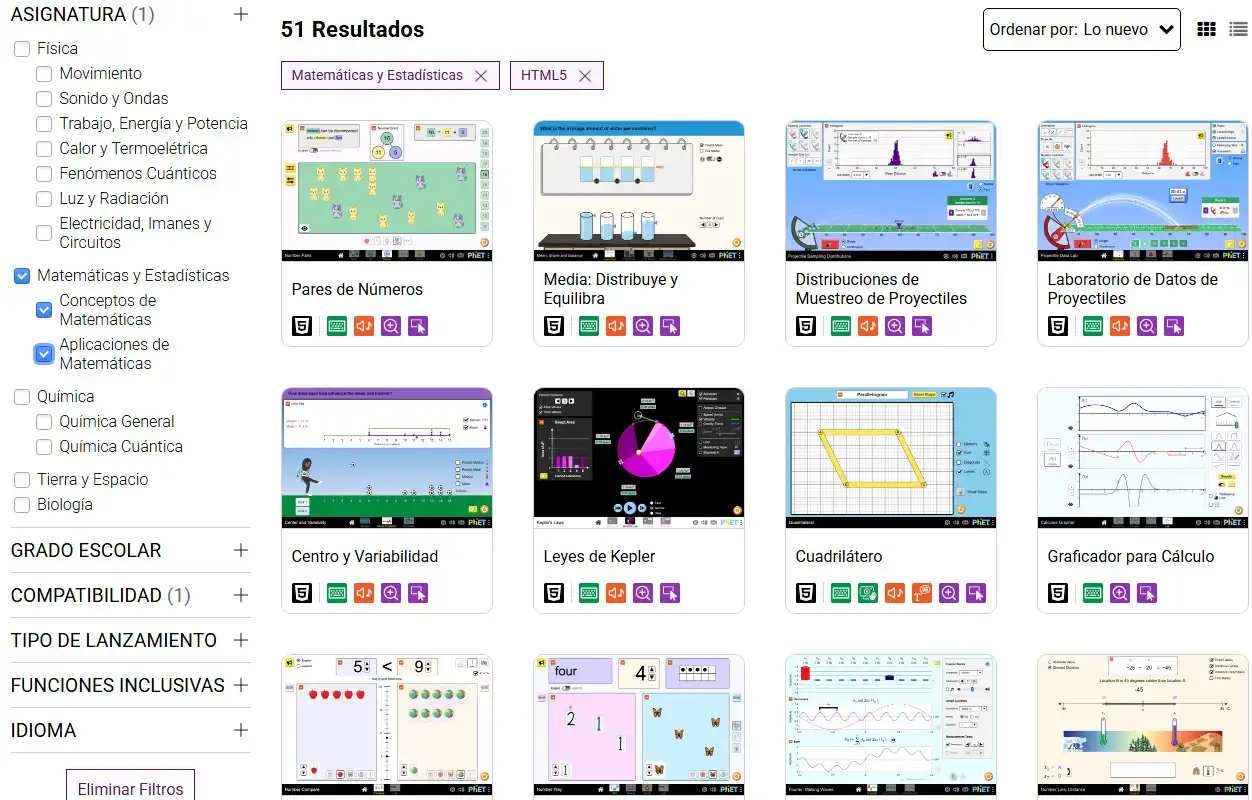
Imagine being able to show your students how gas molecules behave when you increase the temperature — not with a static diagram on the whiteboard, but with a simulation where they move the thermometer themselves and watch the particles speed up in real time.
Now imagine that tool was free, ran in the browser, and was available in multiple languages.
This is not hypothetical. It has existed since 2002 and is used by millions of students worldwide. It is called PhET.
PhET: The Free Scientific Simulator from the University of Colorado
PhET Interactive Simulations is a project from the University of Colorado Boulder that offers interactive, free, research-based science and math simulations. It was founded by Carl Wieman, Nobel Prize winner in Physics in 2001, with a simple conviction: students learn science better when they can experiment, not just observe.
Every PhET simulation goes through a rigorous validation process that includes student interviews, direct observation in real classrooms, and academic peer review. These are not decorative animations — they are virtual labs designed with scientific methodology.
Key fact: PhET has received international awards for educational excellence, including the Open Education Award for Excellence (2019), the WISE Award (2017), the APS Excellence in Physics Education Award (2018), and the Microsoft Education Award (2011). Few free educational resources accumulate that level of global recognition.
Over 160 Interactive Simulations Across Five Scientific Areas
PhET is not limited to a single discipline. Its catalog spans five fundamental areas of science and mathematics, with simulations designed for levels ranging from elementary school to university.
| Area | Example Simulations | Level |
|---|---|---|
| Physics | Forces and motion, electric circuits, waves, optics, gravity, energy | Elementary → University |
| Chemistry | Build a molecule, states of matter, concentration, pH, chemical reactions | Middle School → University |
| Biology | Natural selection, neuron, gene expression | Middle School → University |
| Mathematics | Fractions, arithmetic, least-squares regression, probability | Elementary → University |
| Earth Science | Greenhouse effect, tectonic plates, glaciers | Middle School → University |
Featured Physics Simulations: The Star Category
Physics is the area with the most simulations, and that is no coincidence — PhET was born from the vision of a physicist. Some of the most popular include:
- Forces and motion: Apply forces to objects and observe how they behave according to Newton’s laws — with free-body diagrams that update in real time
- Circuit construction kit (DC): Build electrical circuits with resistors, light bulbs, batteries, and switches. Measure voltage and current with virtual instruments
- Energy skate park: Visualize the conversion between kinetic, potential, and thermal energy as a skater glides along a ramp
- Beer-Lambert law: Explore how concentration and optical path length affect light absorbance
Chemistry Simulations: Visualize What You Cannot See in the Lab
Chemistry has a fundamental pedagogical problem: molecules are invisible. PhET solves this by allowing students to see and interact with molecular representations:
- States of matter: Observe how molecules behave in solid, liquid, and gaseous states when changing temperature and pressure
- Build a molecule: Combine atoms to form molecules and learn about bonds and chemical formulas
- pH scale: Measure the acidity of everyday substances and observe the concentration of H⁺ and OH⁻ ions
- Acid-base solutions: Explore strong vs weak acids and visualize the dissociation equilibrium
If you are interested in exploring chemical elements in depth, complement PhET with the interactive periodic tables we analyzed in another article.
Research-Based Design: Why Does It Work?
PhET is not a project from an independent developer with good intentions. It is an active research program with over two decades of published studies on how students interact with simulations.
The Guided Exploration Approach
The simulations are designed so that students discover concepts on their own rather than receiving step-by-step instructions. This is based on the inquiry-based learning model:
- The student experiments with intuitive controls (sliders, buttons, draggable objects)
- Observes the results of their actions in real time
- Formulates hypotheses about why what they see is happening
- Tests their hypotheses by modifying variables
- Builds their own understanding of the concept
For teachers: PhET offers downloadable activity guides for each simulation, designed by educators. They include guiding questions, learning objectives, and implementation suggestions. You do not need to improvise — the pedagogical material is already prepared.
Scientific Validation: These Are Not Games, They Are Labs
Each new simulation goes through an iterative design process that includes:
- Individual interviews with students to observe how they interact with the simulation
- Classroom observations to evaluate the impact on real learning
- Usability testing to ensure the interface is intuitive without the need for instructions
- Publication of results in peer-reviewed academic journals
This rigor is the reason PhET is cited in educational research worldwide and recommended by institutions such as the National Science Foundation in the United States.
Technical Features: HTML5, No Installation, and Cross-Platform
HTML5 Simulations That Work on Any Device
The simulations are built in HTML5, which means they run directly in the browser without the need to install plugins, extensions, or additional software. They are compatible with:
- Chrome, Firefox, Safari, and Edge on desktops and laptops
- Tablets and smartphones running iOS and Android
- Interactive whiteboards in the classroom
- Chromebooks — ideal for educational institutions with these devices
Offline Functionality
A detail many teachers appreciate: simulations can be downloaded and run offline. This is essential in contexts where connectivity is limited or unstable — rural schools, labs without Wi-Fi, or sessions where you cannot rely on the network.
Open Source and Translated Into Over 100 Languages
PhET is open source — any developer can review, modify, or contribute to the project. The simulations are translated into over 100 languages, including Spanish, Portuguese, French, Arabic, Chinese, Japanese, and Korean, among many others.
PhET vs Other Educational Simulators: 2026 Comparison
How does PhET compare to other simulators we have reviewed at CuriosoTech?
| Feature | PhET | Wokwi | ECity |
|---|---|---|---|
| Main area | Science and mathematics | Electronics / IoT | Renewable energy |
| Available simulations | 160+ | Circuits with microcontrollers | 1 comprehensive simulator |
| Education level | Elementary → University | Middle School → University | Middle School → University |
| Spanish language | Yes (100+ languages) | Partial | Yes |
| Works offline | Yes (downloadable) | No | No |
| Open source | Yes | Yes | No |
| Mobile apps | Yes (iOS) | No | No |
| Price | Free | Free | Free |
| Institutional backing | University of Colorado | Independent | Institutional |
For electronic circuit simulation with Arduino and ESP32, Wokwi remains the best option. For renewable energy and sustainability, ECity is unbeatable. But for fundamental sciences — physics, chemistry, biology, and mathematics — PhET has no rival.
How to Start Using It for Free in Your Classroom
- Open phet.colorado.edu from any browser
- Browse simulations by subject or by education level
- Click on any simulation to run it directly in the browser
- Download the activity guides available for each simulation
- Share the link with your students or download the simulation for offline use
No registration, no installation, no cost. You can start using any simulation in less than 10 seconds. If you want to save favorites or access additional resources for teachers, you can create a free account.
Is It Worth It as an Educational Tool in 2026?
A Nobel Prize-winning physicist created this platform because he knew that science is not learned by reading — it is learned by experimenting. More than two decades later, the platform remains free, remains rigorous, and remains one of the most impactful educational tools in the world.
With over 160 simulations across five scientific areas, compatibility with any device, offline functionality, and translation into over 100 languages, the platform removes all barriers between a student and a virtual lab.
Whether you teach Newton’s laws in a rural school or chemical reactions at a university — these simulations turn every abstract concept into an experience you can touch, move, and understand.
Open PhET and let your students discover science for themselves.