
PDFgear: The Only Free PDF Editor You Need
Discover PDFgear, the free software with no watermarks or sign-ups required to edit text
We’ve all been there. You need to sign an urgent contract or fix a line in a document and you hit the dreaded notice: “Start your free trial of Adobe Acrobat Pro.”
You end up using a sketchy website full of ads that returns a document with a giant watermark in the middle. Frustrating, right?
Today I’m introducing you to the alternative that’s changing the game.
PDFgear: Free Cross-Platform PDF Editor with No Watermarks
PDFgear is a cross-platform software (Windows, Mac, iOS, and Android) that offers enterprise-level tools without asking for a single cent, without ads, and without requiring you to create an account.
Why is it free? The development team keeps the core tool free to grow its user base, planning to add advanced cloud services for businesses later on. Your files are processed locally and securely.
Full PDF Editing and Annotation Like in Word
PDFgear lets you edit PDF files as if they were Word documents, with full control over text, images, shapes, signatures, links, and fillable form fields. This isn’t about pasting text boxes on top — you can modify words and paragraphs while maintaining the document’s original typography.
The annotation tools include:
- Highlighting, underlining, and strikethrough for text
- Customizable stamps and shapes
- Text boxes and sticky notes
- Handwritten or electronic digital signature
Format Conversion and OCR in Over 30 Languages
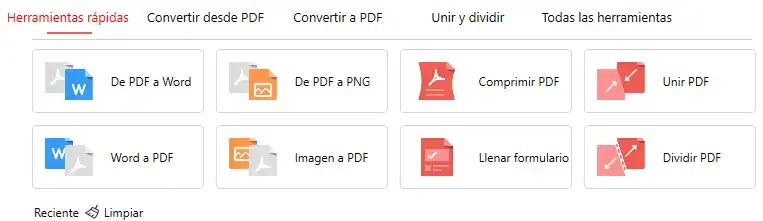
PDFgear converts between PDF and formats like Word, Excel, PowerPoint, TXT, JPG, PNG, and more. It includes a batch mode for processing multiple files at once, with guaranteed lossless conversion quality.
Its OCR (Optical Character Recognition) accurately extracts text from image-based documents or converts scanned PDFs into editable documents (Word, TXT) in over 30 languages. Ideal for digitizing contracts, invoices, or scanned notes.
PDF Document Management and Organization Tools
It includes essential functions for manipulating your document structure:
- Merge and split PDFs in seconds
- Compress files to reduce size without losing quality
- Sign PDFs electronically
- Create and fill interactive PDF forms
- Add, delete, or rearrange pages within any document
Compatible Platforms: Windows, Mac, iOS, and Android
- Windows — full version with all features
- macOS — native app optimized for Apple Silicon
- iOS — quick editing from iPhone or iPad
- Android — full access from any mobile device
PDFgear vs Adobe Acrobat vs Online Editors: 2026 Comparison
| Feature | PDFgear | Adobe Acrobat (Free) | Web Editors |
|---|---|---|---|
| Edit text and images | Yes (Free) | No (Read-only) | Overlay only |
| Watermarks | No | No | Yes, almost always |
| Offline use | Yes (Desktop) | Yes | No |
| OCR (scans) | Yes (30+ languages) | No | Limited |
| Digital signature | Yes | Basic only | No |
| Price | $0 | $0 (limited) | $5-20/mo |
Who Should Use PDFgear: Students, Professionals, and Educators
For Students: Annotate, Summarize, and Study PDFs
If you work with academic articles, theses, or PDF notes, PDFgear lets you annotate them, highlight them, and ask the AI to create summaries. Ideal for study sessions.
For Professionals: Contracts, OCR, and Digital Signatures
Contracts, financial reports, budgets — any document you need to edit without going through Adobe. The OCR function is especially useful for scanned documents.
For Educators: Teaching Materials and Annotations
Creating teaching materials by combining PDFs, adding annotations, and extracting specific content has never been easier.
How to Download and Install PDFgear for Free in 2 Minutes
- Download PDFgear from its official website
- Install the application (no sign-up or account required)
- Open any PDF and start editing right away
There’s no trial period, no locked features, no surprises. What you see is what you get.
Final Verdict: Is PDFgear Worth It as a Free PDF Editor?
PDFgear proves that you don’t need an expensive subscription to edit PDFs professionally. With its integrated AI, advanced OCR, and real text editing, it covers 99% of what any user needs — and it does it for free.
Ready to give your wallet a break? Download it and start using it today.